
Block-based content
Add and arrange your message, image, coupon, and call to action beside a live preview.
Responsive Shopify popup builder
Announce a sale, highlight a collection, or share a discount code. Build the popup without code, preview it on mobile and desktop, and decide who sees it and when.
Start with a welcome offer, a collection sale, or an announcement without a discount. Each original example includes copy, display settings and a launch checklist.
Free at launch. Available on the Shopify App Store.
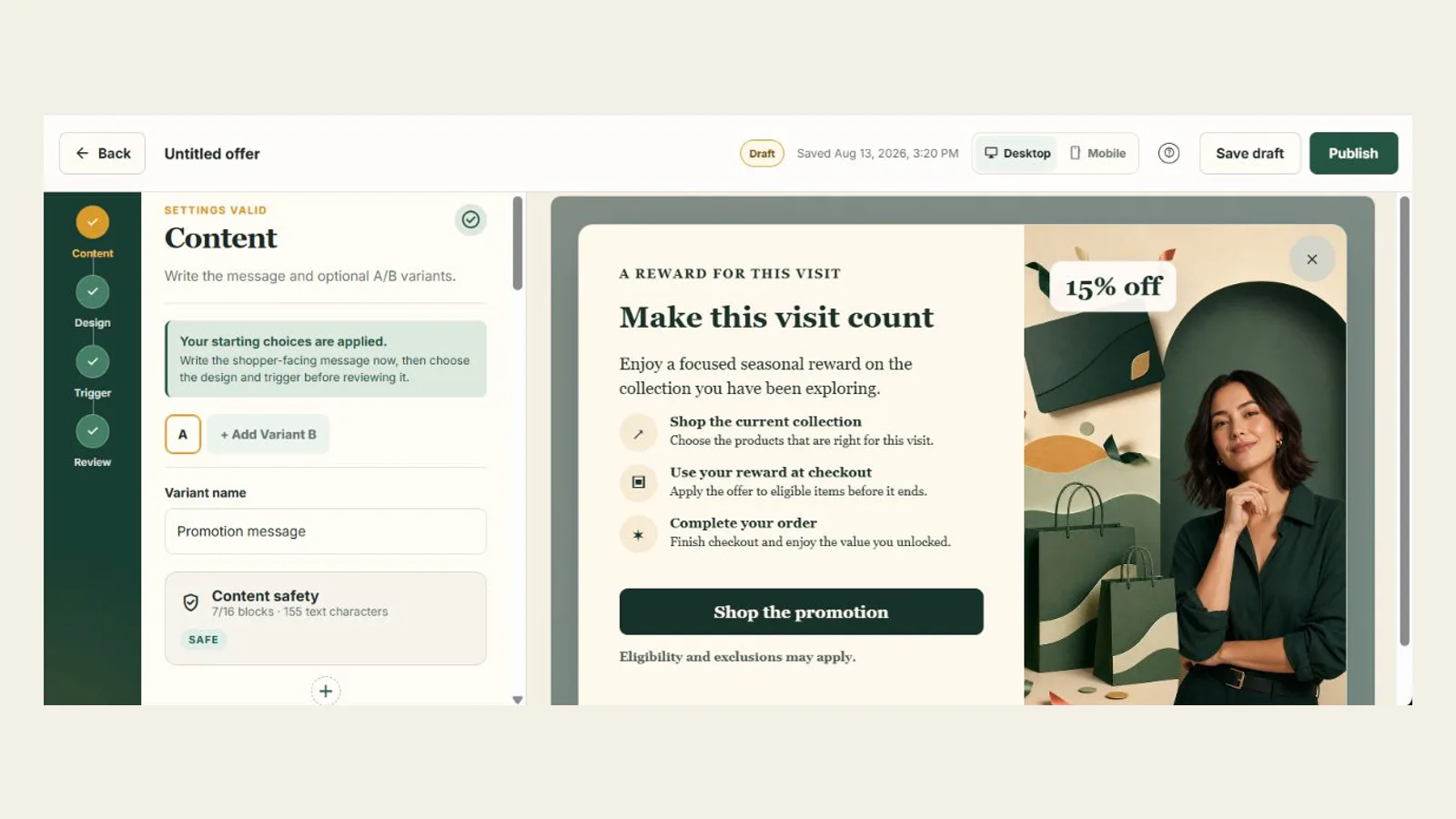
One place to build and publish
Work through content, design, and display settings at your own pace. Your draft stays separate from the offer shoppers see.
Open the Promotion announcement template and make it your own.
Arrange text, images, buttons, coupons, and timers in the editor. No HTML or scripts needed.
Choose colors, fonts, popup size, and image placement. Check the preview as you edit.
Control timing, scroll depth, exit intent, page rules, audience eligibility, and repeat frequency.
Resolve blockers and understand warnings before a version can be published.
Keep working on your next draft while shoppers see the version you published.
Product capabilities
Add and arrange your message, image, coupon, and call to action beside a live preview.
Keep your offer within the screen, with stacked images and scrolling for longer content.
Explore guardrails →Immediate, delayed, scroll-depth, and exit-intent modes with frequency choices for sessions and repeat visits.
Explore triggers →Create two versions of an offer and choose how to split eligible visitors between them.
Select an active Shopify discount code. PrimePopup checks it again before you publish.
See whether timing, frequency, page, audience, or consent rules kept the offer from appearing.
Is PrimePopup right for your store?
PrimePopup is for merchants who want to announce promotions and share discount codes with control over design, timing, and repeat displays.
Build your popup from content blocks. Custom HTML, CSS, and JavaScript are not supported in the editor.
PrimePopup does not collect email subscribers. Its demo form does not save entries, so use a dedicated signup tool if you need list growth.
Preview the popup and test it on your published theme, including alongside chat widgets and cookie banners.